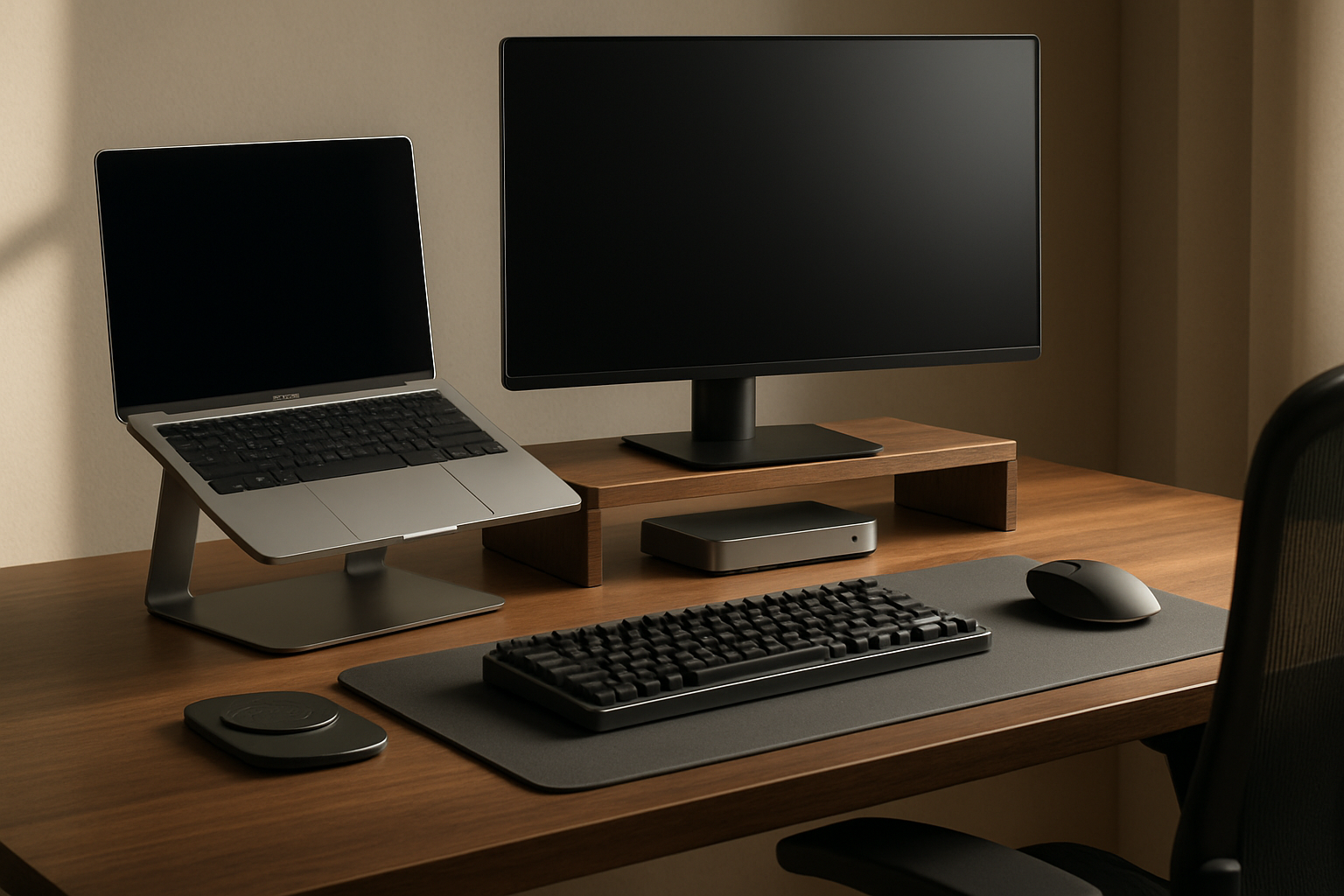
For a long time, I thought my hybrid work setup problem was about not having enough desk accessories. It wasn’t. The real issue was that every office-to-home transition turned into a small cable disaster: unplugging my laptop charger, reconnecting displays, fishing for a mouse receiver, shifting my laptop to avoid neck strain, and then undoing all of it the next day. By the end of the week, my desk looked busy, my shoulders felt tight, and the whole “flexible” part of hybrid work felt weirdly inefficient.
What finally fixed it for me was building a hot-swappable workstation around a proper dock, cleaner cable routing, and a laptop position I could actually live with for a full workday. This wasn’t about making my desk look like a showroom. It was about making it faster to sit down, connect once, and get to work without posture compromises or a mess of dangling cords.
What I Actually Needed to Fix
Before pulling out my credit card, I had to figure out what was actually broken. I realized I was failing at three things.
First, my connection workflow was too fragile. If your setup depends on plugging in four separate things every time you sit down, you do not have a workstation. You have a ritual. And rituals are fine until you are late for a meeting and suddenly one monitor doesn’t wake up.
Second, my laptop position was wrecking my posture. I spend a lot of time in spreadsheets, dashboards, and slide decks. That means long blocks of static work. Leaving my laptop flat on the desk forced my gaze downward all day, which created that familiar upper-back and neck fatigue by mid-afternoon. I wrote about similar physical strain in my recovery-focused home office setup, but this time the challenge was making ergonomics portable enough for hybrid work.
Third, cable management had to be functional, not decorative. I’m not interested in the kind of cable setup that looks amazing for one photo and becomes annoying the first time you swap a device. I wanted a desk that stayed clean while still letting me disconnect and reconnect my laptop quickly.
So my criteria became pretty simple: one main dock, one good laptop stand, one mouse that reduced wrist strain, and just enough desk organization to keep everything accessible without turning the setup into a permanent installation.
The Setup I Actually Kept
UGREEN Thunderbolt 4 Dock 8-in-1

This is the anchor of the whole reset. I eventually moved to the UGREEN Thunderbolt 4 Dock 8-in-1 because I wanted one connection point that could handle charging, fast peripherals, ethernet, and display expansion without the usual daisy-chained dongle nonsense. In daily use, the biggest win is mental simplicity. I sit down, connect one cable, and the desk becomes a real workstation. For my kind of hybrid work, that reduction in friction is worth more than any raw spec sheet advantage.
What I Appreciate
- ✅ Single-cable connection makes desk resets dramatically faster
- ✅ Enough ports for a serious work setup without adding extra hubs
- ✅ Stable charging and data performance for long office days
- ✅ Feels like a premium step up from cheap USB-C adapters
What Frustrates Me
- ❌ It takes up more space than a tiny travel dongle
- ❌ You still need to verify your laptop’s display limitations before expecting full multi-monitor flexibility
- ❌ This is an investment item, so the ROI makes more sense if you dock daily
BESIGN LS10 Aluminum Laptop Stand
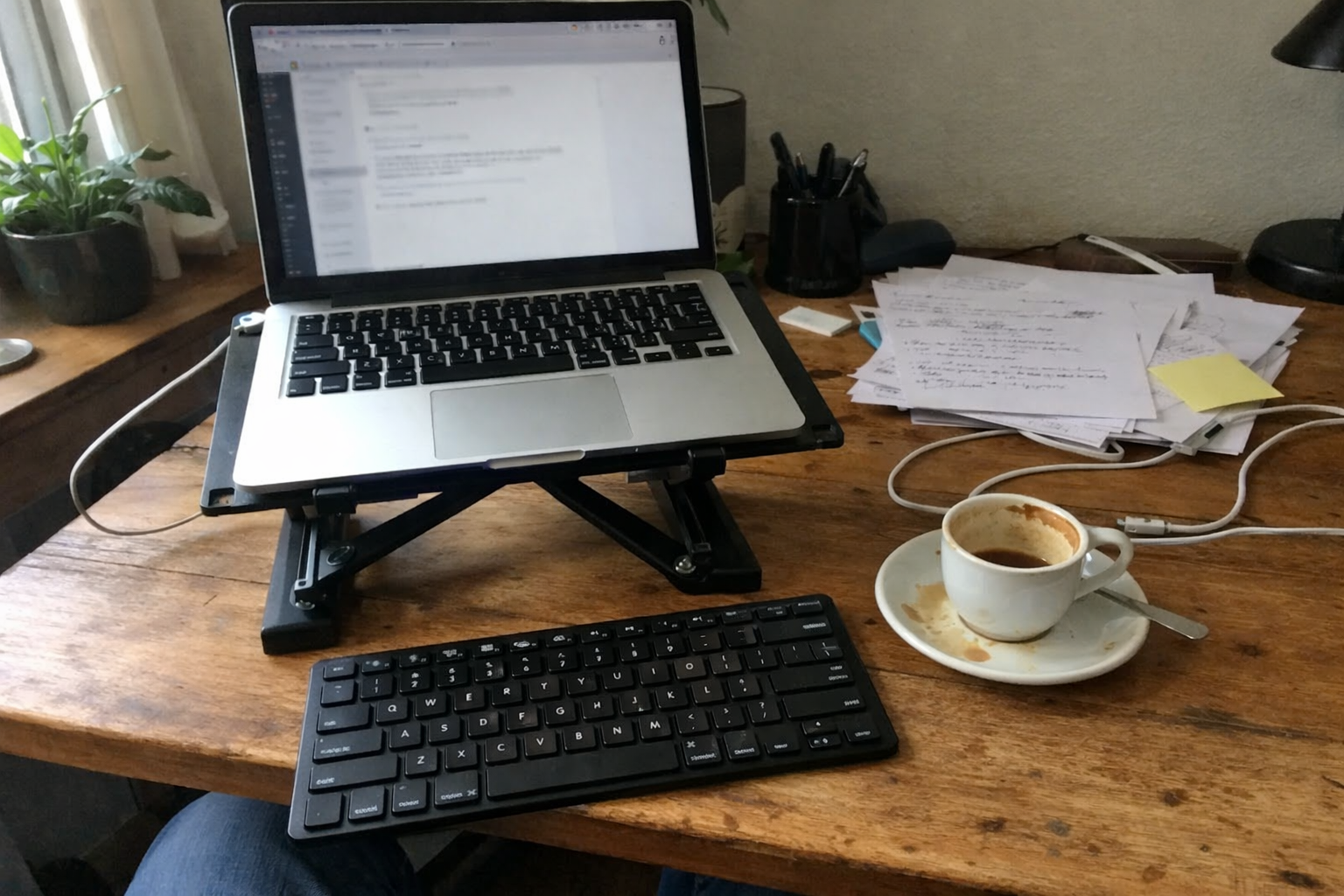
The part I underestimated most was the laptop stand. I picked up the BESIGN LS10 Aluminum Laptop Stand because I needed the laptop screen higher without committing to a bulky arm or a fixed riser. Height and angle adjustment matter more than people think, especially if you alternate between using the laptop as a secondary screen and using it solo on lighter days. I don’t think this stand is flashy, but it solves a very expensive problem cheaply: physical discomfort that builds slowly enough for you to ignore until it becomes your normal.
What I Appreciate
- ✅ Noticeably better neck angle during long spreadsheet sessions
- ✅ Aluminum build feels sturdier than most budget stands
- ✅ Open design helps airflow and keeps the desk looking lighter
- ✅ Adjustable enough for different desk depths and monitor arrangements
What Frustrates Me
- ❌ It is still another object on the desk, so space planning matters
- ❌ Best experience usually assumes an external keyboard and mouse
- ❌ Not the most compact option if you want something highly portable
Anker Vertical Ergonomic Mouse
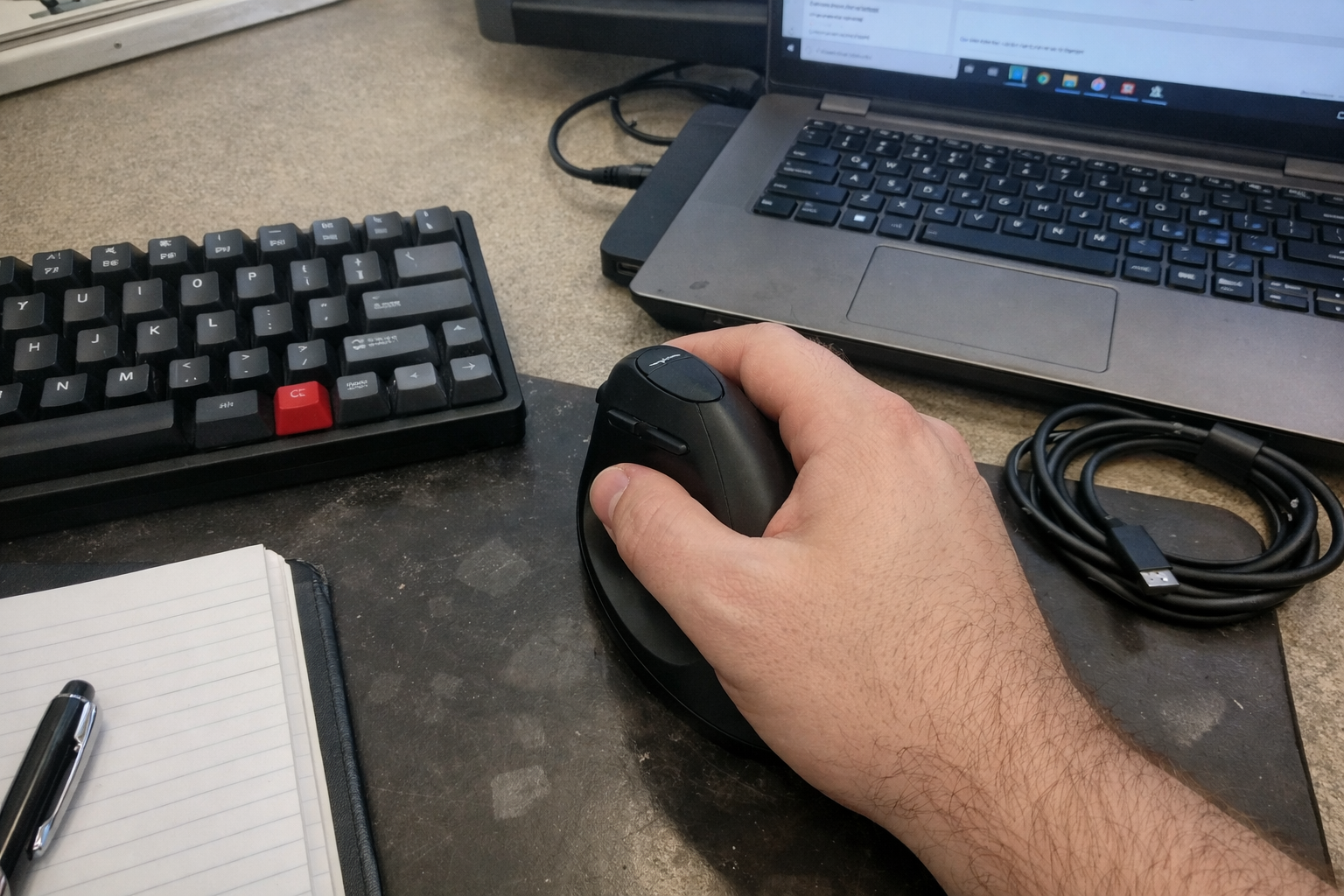
I rotate through different input devices because I’m deep into keyboards and desk ergonomics, but the Anker Vertical Ergonomic Mouse has stayed in the mix because it reduces wrist strain better than a lot of traditional shapes I’ve tried. Is it the most premium mouse on earth? No. But it solves a premium problem at a mid-tier cost, which is exactly the kind of ROI decision I like. If you spend long hours clicking through dashboards, BI tools, browser tabs, and slide revisions, a neutral wrist position can make a real difference over time.
What I Appreciate
- ✅ More comfortable wrist position than flat mice during long work blocks
- ✅ Easy adjustment period compared with more extreme ergonomic designs
- ✅ Reliable enough for office work and everyday navigation
- ✅ Good value if you are testing ergonomic input without overspending
What Frustrates Me
- ❌ The shape can feel awkward for the first few days
- ❌ Not my favorite option for precise creative work
- ❌ The overall feel is practical, not luxurious
Magnetic Cable Organizer
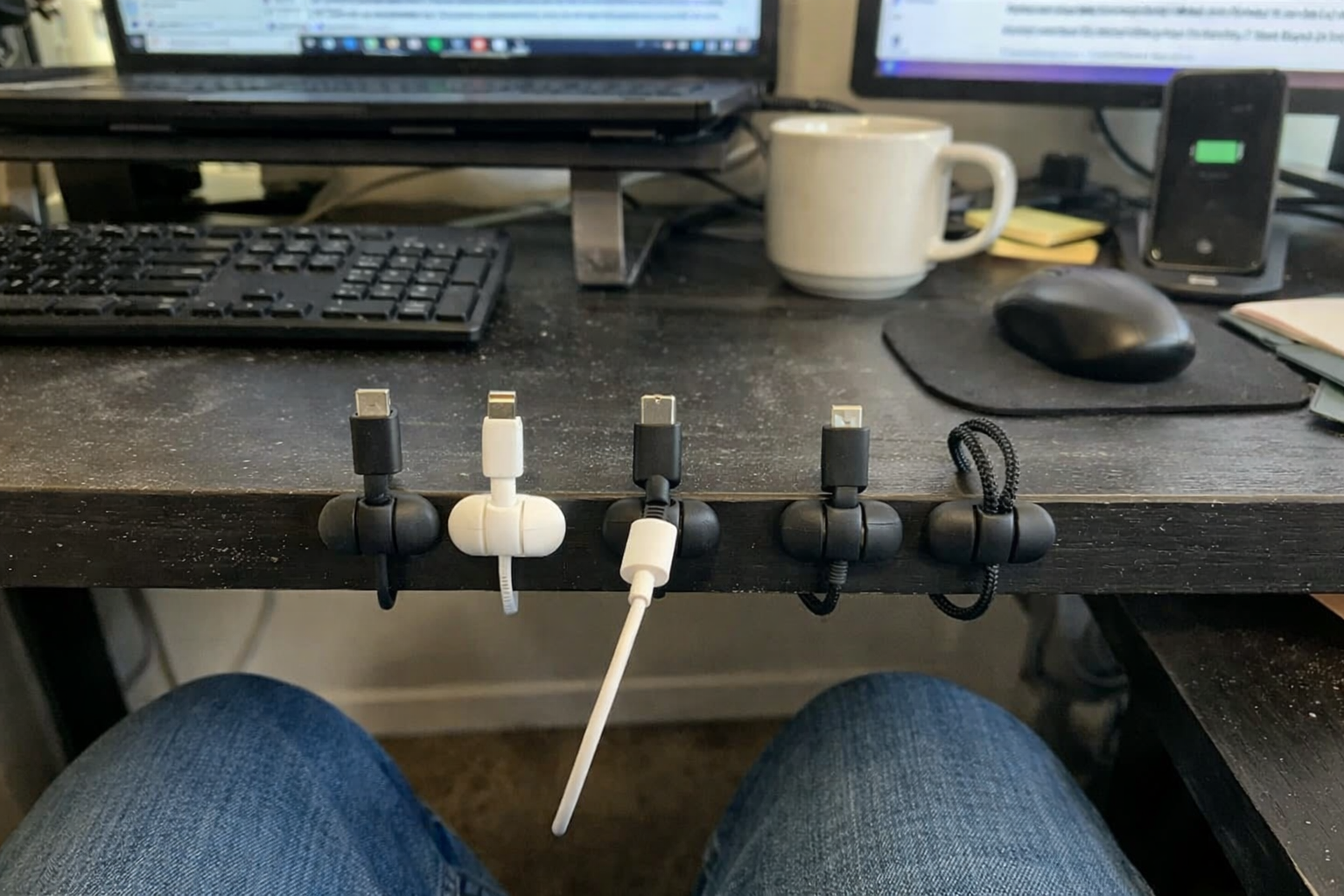
This is the small item that made the whole desk feel intentional. I started using the Magnetic Cable Organizer after getting tired of watching charging and peripheral cables slip behind the desk every time I unplugged my laptop. The reason I like this style is that it supports a hot-swappable workflow instead of fighting it. I can pull a cable out, reconnect quickly, and drop it back into place without redoing my entire cable management every week.
What I Appreciate
- ✅ Prevents the daily annoyance of cables falling behind the desk
- ✅ Magnetic design makes swap-heavy setups easier to live with
- ✅ Works well for mixing thicker charging cables and thinner accessory cables
- ✅ Cheap upgrade with a surprisingly noticeable quality-of-life payoff
What Frustrates Me
- ❌ Placement takes a little trial and error
- ❌ Adhesive solutions always depend on the desk surface being clean
- ❌ It helps manage clutter, but it won’t magically hide a badly planned setup
EURPMASK Clamp-on Headphone Holder
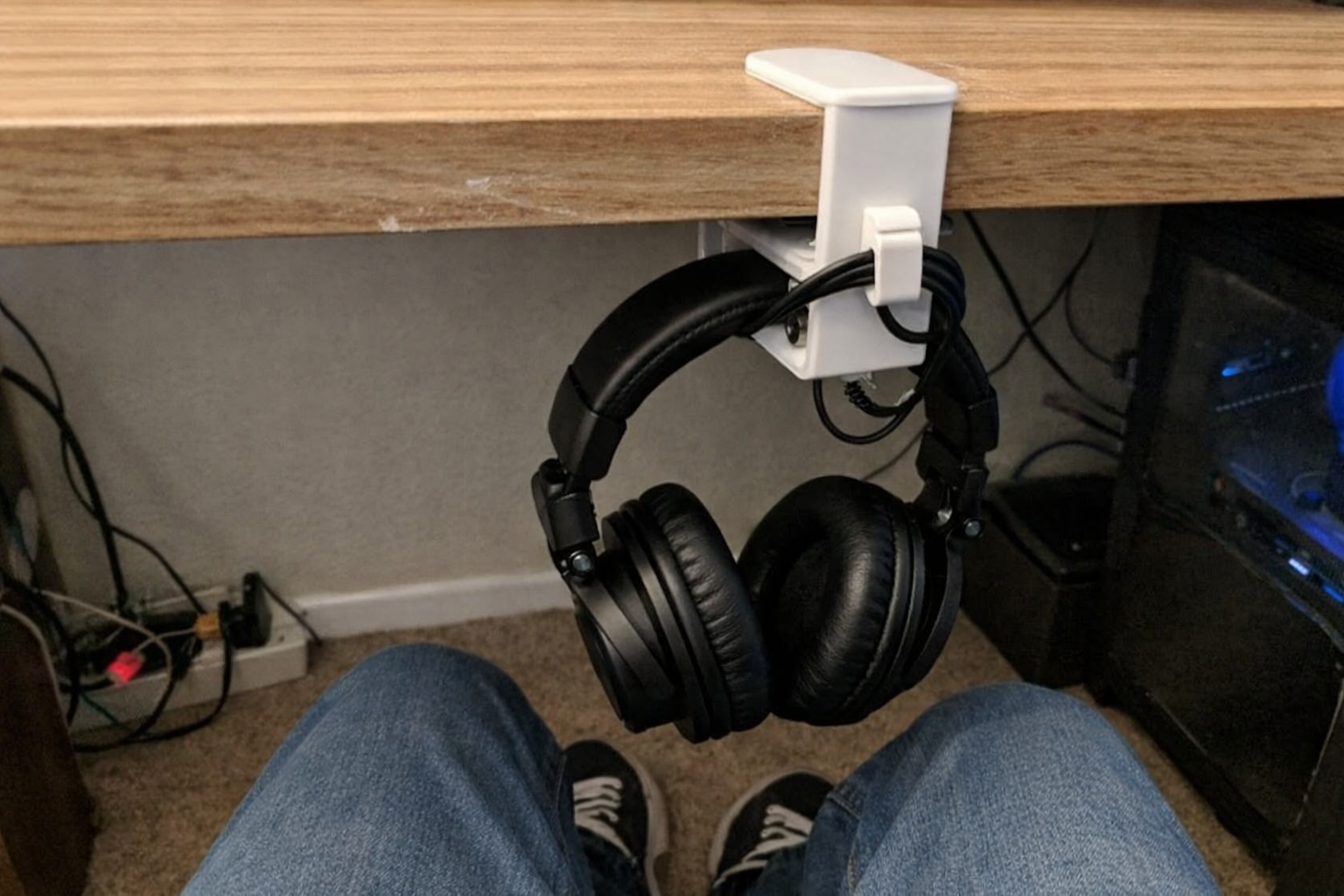
I added the EURPMASK clamp-on headphone holder for a very unglamorous reason: my headphones kept landing on the desk exactly where I needed to move notebooks, docks, and chargers. This kind of accessory sounds minor until you realize it clears one more surface decision from your day. I like that it clamps on instead of requiring adhesive, and the swivel design lets me tuck the headphones away when I want the desk to feel less crowded.
What I Appreciate
- ✅ Frees up desk space immediately
- ✅ Clamp-on design is easier to reposition than adhesive accessories
- ✅ Swivels out of the way when I want a cleaner visual field
- ✅ Built-in cable control is genuinely useful for wired audio gear
What Frustrates Me
- ❌ It depends on desk edge thickness, so fit matters
- ❌ White finish may not match every setup aesthetic
- ❌ More of an organization upgrade than a must-have performance upgrade
Why I Went Premium on the Dock but Stayed Practical Everywhere Else
| Category | Where I spent more | Where I saved | Why |
|---|---|---|---|
| Connectivity | Thunderbolt 4 dock | Skipped stacking multiple cheap adapters | The dock affects every single work session, so reliability matters |
| Ergonomics | Proper laptop height | Mid-tier stand instead of a premium arm | Screen position matters more than brand prestige |
| Input comfort | Ergonomic mouse shape | Didn’t chase ultra-premium mouse pricing | I wanted strain reduction, not feature overload |
| Cable management | Functional cable anchors | Avoided overbuilt decorative accessories | The goal was speed and repeatability, not showroom perfection |
| Desk organization | Under-desk headphone storage | Skipped large desk stands | Keeping surfaces clear improves flexibility on hybrid days |
That has really been my takeaway from this setup. If you are building a hybrid workstation, the premium move is not buying the most expensive version of every accessory. The premium move is spending on the bottleneck. In my case, that was the dock. Once that piece was solid, the rest of the desk could be built with more restraint.
What I’m Still Tweaking
This setup is much better than what I had, but it is not finished. My next adjustment is probably monitor placement and a cleaner under-desk power strategy so I can reduce visible cable drops even more. I’m also still refining how quickly I can switch from “serious desk mode” to “clear surface mode,” especially on days when the same table has to handle work, keyboard builds, and espresso gear staging.
That’s the reality of a good hybrid workstation: it should be easy to reset, not frozen in place. If a setup only works when nothing moves, it’s not really designed for actual life.
💡 The Final Verdict: Worth It If You Dock In and Out Constantly
If you work hybrid and connect your laptop to a real desk setup several times a week, building a hot-swappable workstation is absolutely worth the time and money. The biggest gains are less cable friction, better posture, and a smoother start to every work session. I would especially recommend this kind of setup to anyone doing long hours of laptop-based analysis, admin work, presentations, or focused desk work at home. If you only dock once in a while, keep it simpler. But if this is part of your weekly routine, a proper dock-and-desk reset pays you back in comfort and consistency pretty quickly.
Disclaimer: As an Amazon Associate, I earn from qualifying purchases.
Author
-

Hi, I’m Mateo — a remote business analyst and workspace consultant based in New York City.
I started this blog out of a long-term interest in productivity, ergonomics, and the tools that make daily work more efficient. Over the years, I’ve spent a lot of time refining my own setup and comparing different products, from premium office furniture to mechanical keyboards and coffee equipment for the home office. What began as a personal habit turned into a more structured way of reviewing and analyzing workspace gear.
This blog focuses on premium productivity tools and ergonomic equipment, with an emphasis on performance, build quality, durability, and long-term value. I cover products like standing desks, ergonomic chairs, multi-monitor setups, keyboard components, and high-end coffee machines, always with attention to how they hold up in real working conditions.
My approach is straightforward and detail-oriented. I look at products the same way I look at systems: by evaluating trade-offs, comparing alternatives, and asking whether the higher price is actually justified. That means I often compare premium products against strong mid-range options, break down the pros and cons clearly, and focus on return on investment rather than hype.
Outside of work, I’m interested in custom mechanical keyboards, espresso, and indoor cycling — all things that, in different ways, involve precision, consistency, and incremental improvement.
If you’re building a workspace that is comfortable, functional, and designed to last, this blog is for you.

Leave a Reply