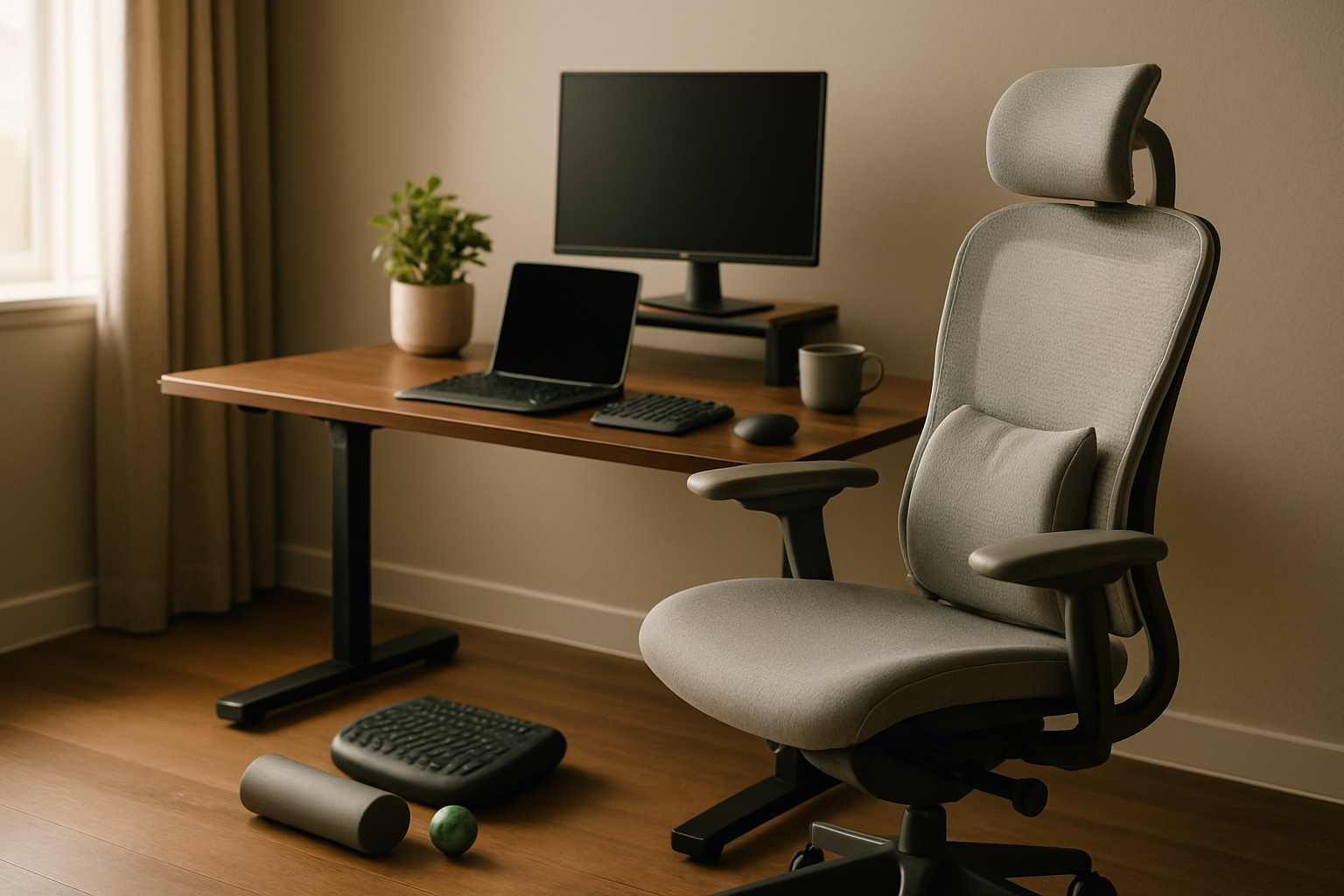
For a long time, I thought “good posture” meant buying a nicer chair and calling it a day. What actually happened was more annoying: I’d finish a full remote workday with a tight lower back, heavy hips, stiff shoulders, and that weird slumped feeling that made even standing up for coffee feel like a reset. The fix, at least for me, wasn’t one miracle product. It was building a home office that helped me recover while I worked instead of slowly grinding me down.
As a remote business analyst, I spend a lot of time in spreadsheets, dashboards, and meetings that somehow all want my full attention at once. That means long seated blocks, not enough movement, and plenty of opportunities for my setup to either support me or sabotage me. Over the last year, I started treating ergonomics less like office décor and more like load management. If I was going to sit for hours, I needed tools that reduced pressure, improved alignment, and made switching positions easier.
What was actually broken in my setup
Before pulling out my credit card, I had to figure out what was causing the fatigue. In my case, it came down to four things.
- I was sitting too low, which changed my hip angle and made my lower back work harder than it should.
- My monitors were a little too low and too far apart, so I was subtly dropping my chin and rotating my neck all day.
- I had no comfortable standing option, so “just stand more” was good advice that I never followed.
- My chair itself wasn’t terrible, but it had pressure points and a lumbar gap that got worse by mid-afternoon.
That’s the big thing I wish more people understood about a posture-friendly home office: posture is not a single position you force yourself to hold. It’s the result of a setup that makes better positions easier and bad ones harder to fall into. Once I looked at it that way, the upgrades became much more obvious.
I also stopped chasing “premium” for its own sake. Some ergonomic tools are absolutely worth paying up for. Others are basically simple foam, fabric, or steel, and the smarter move is buying the version that solves the problem cleanly without pretending to be luxury. That ROI mindset shaped this whole setup.
The ergonomic tools I actually kept using
HUANUO FlowLift Dual Monitor Stand
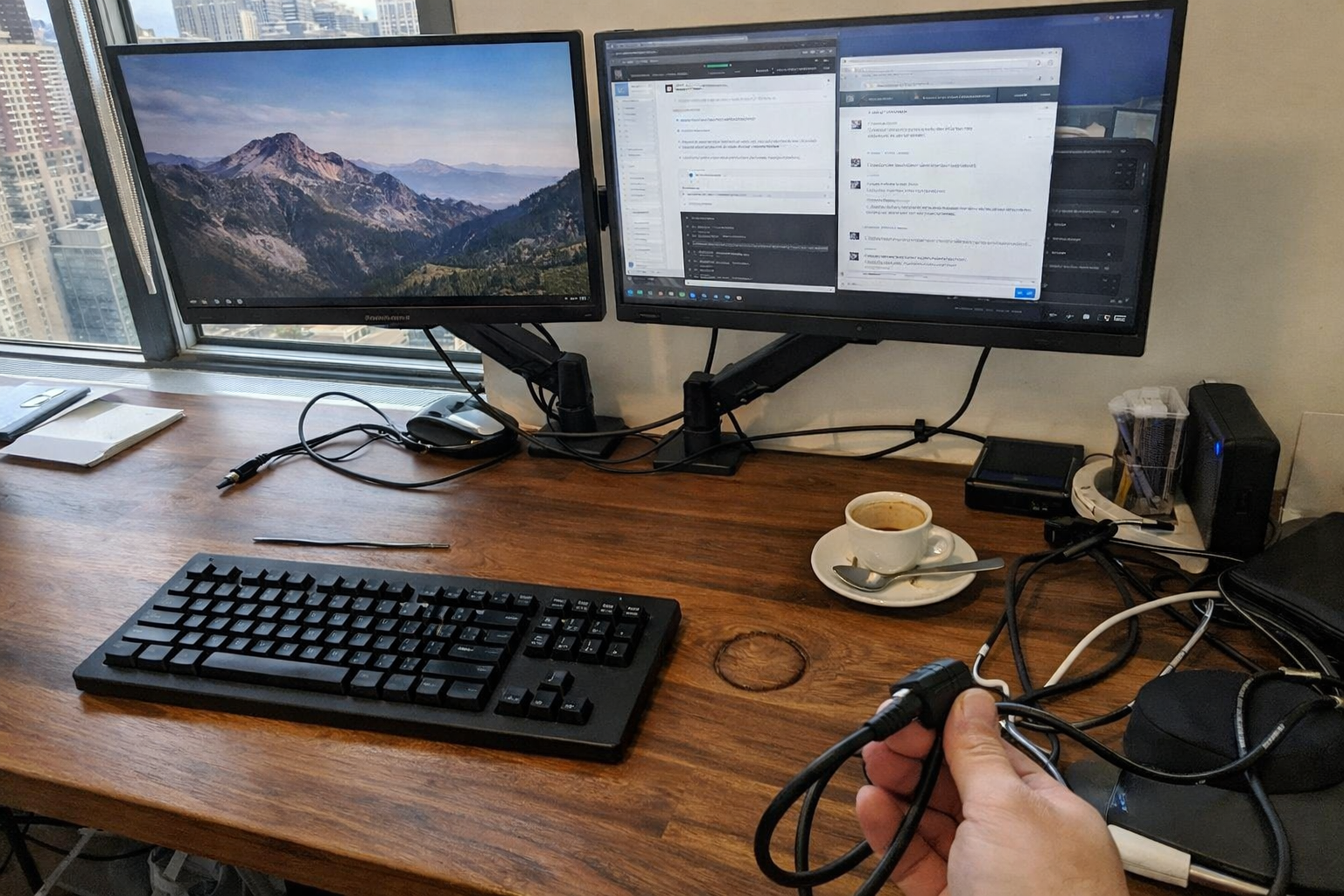
This was probably the highest-ROI change in the whole setup. I eventually mounted both displays on the HUANUO FlowLift dual monitor stand because I needed my screens higher, closer, and more adjustable without stacking books under the bases like I was still improvising in my first apartment. Once the monitors were at a better eye level, my neck strain dropped fast. It also cleared a surprising amount of desk space, which made the entire workstation feel less cramped and easier to reset between tasks.
What I Appreciate
- ✅ A big improvement in screen height and neck comfort
- ✅ Frees up desk depth for keyboard, notebook, and dock
- ✅ Arm movement is useful for fine-tuning posture throughout the day
- ✅ Better cable management than basic monitor risers
What Frustrates Me
- ❌ You need to verify desk and monitor compatibility before ordering
- ❌ Installation takes some patience if you care about perfectly aligned screens
- ❌ Not ideal for glass or non-wood desks
Everlasting Comfort Memory Foam Seat Cushion
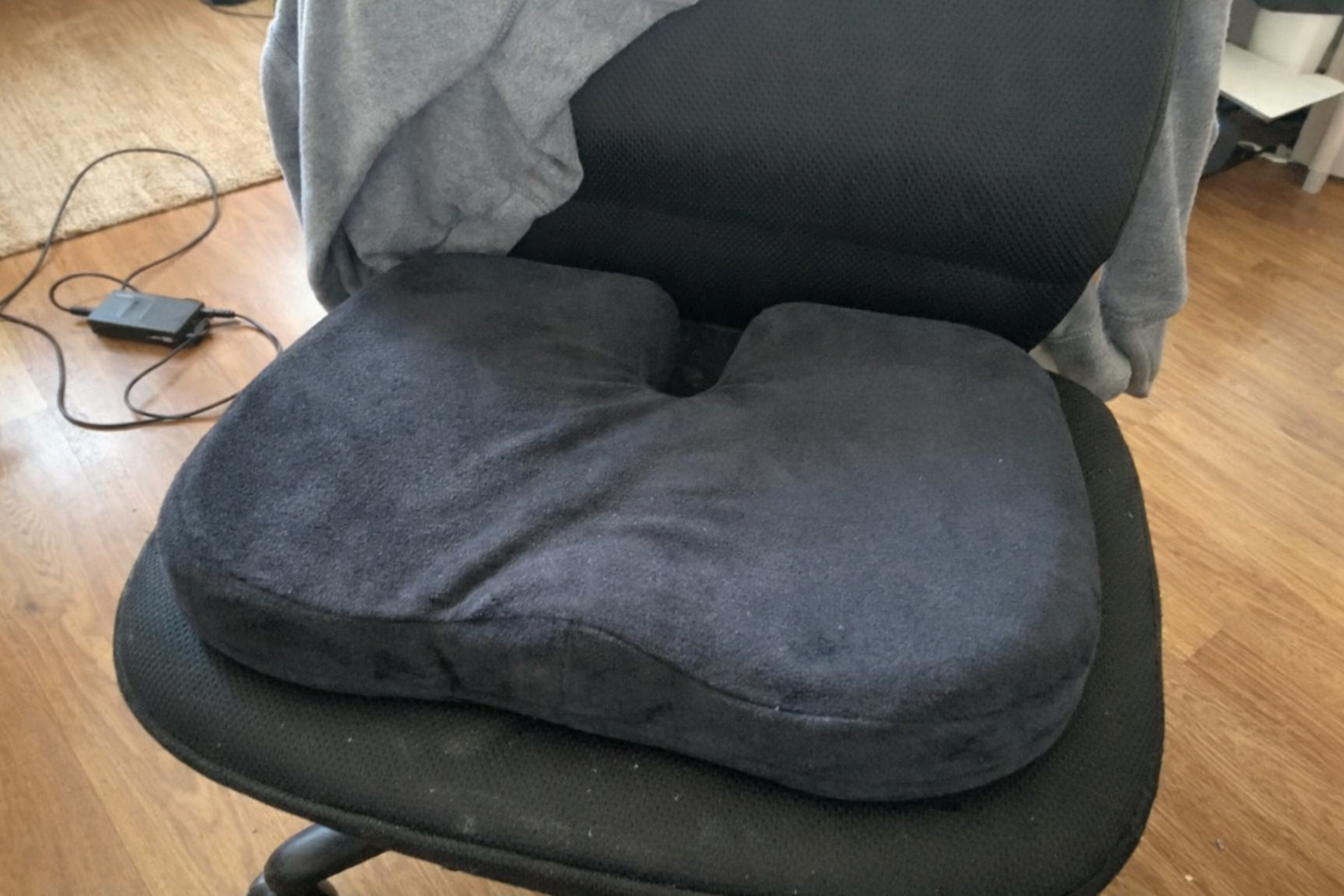
I was skeptical about seat cushions because a lot of them feel like temporary fixes for bad chairs. But the Everlasting Comfort seat cushion ended up helping more than I expected. My chair seat pan was firm in a not-very-helpful way, and after long blocks of sitting I’d feel that compressed, restless pressure in my hips and tailbone. This cushion distributed that pressure better and subtly changed how I sat, especially during deep work stretches where I wasn’t standing up enough.
What I Appreciate
- ✅ Noticeably reduces pressure on long seated work sessions
- ✅ Low-profile shape doesn’t radically change the look of the chair
- ✅ Cover is removable, which matters if you actually use things daily
- ✅ Easy to move between office chair and car when needed
What Frustrates Me
- ❌ It can raise your sitting height enough to require monitor or footrest adjustments
- ❌ Memory foam feel is personal, so not everyone will love the density
- ❌ It helps a decent chair a lot more than it rescues a truly bad one
Big Hippo Ergonomic Memory Foam Lumbar Support Pillow
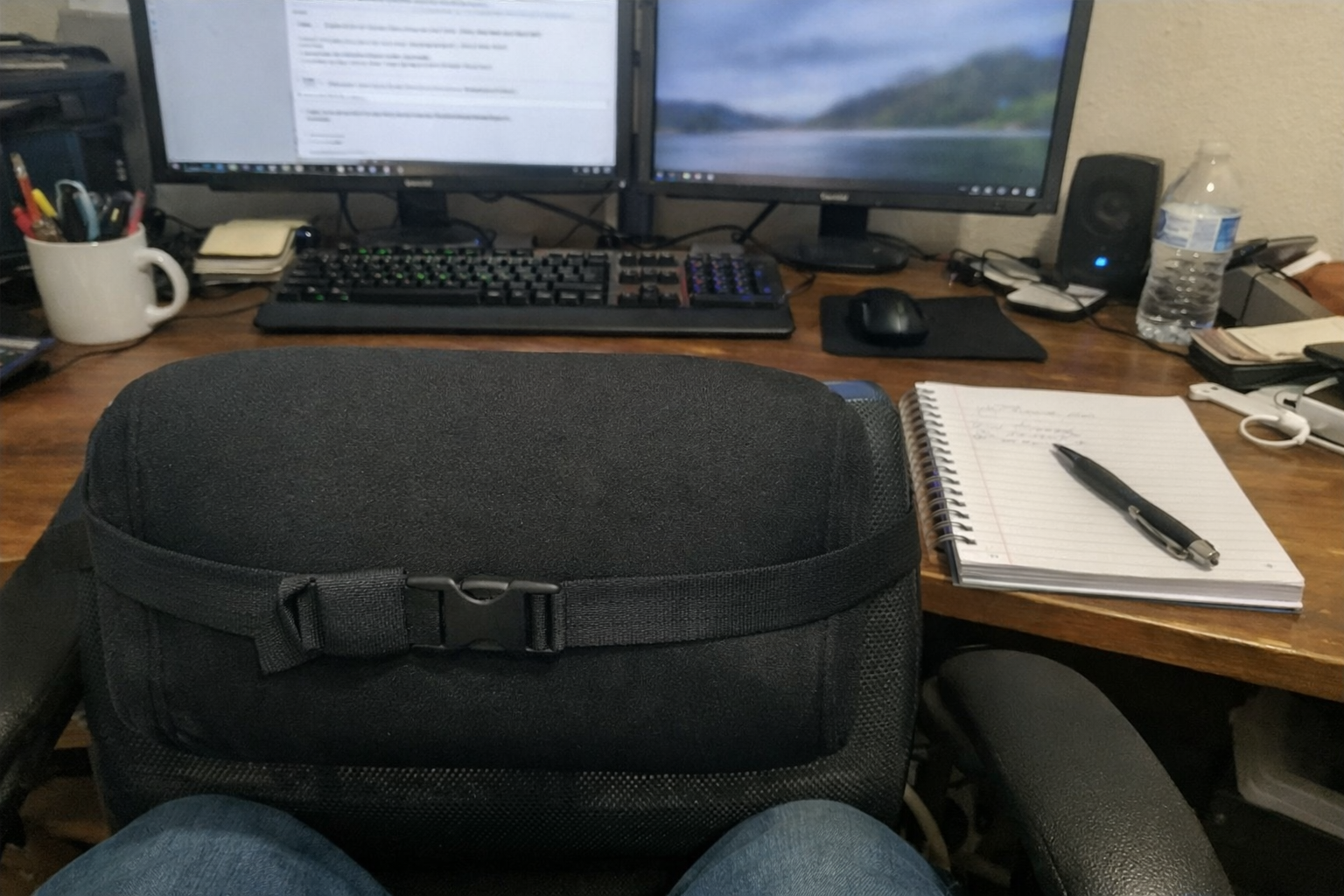
Once I added the seat cushion, I realized my lower back still needed a little more support to keep my pelvis from rolling into a lazy slouch. That’s where the Big Hippo lumbar support pillow came in. It fills that awkward gap between your back and the chair, which sounds minor until you work an eight-hour day and realize how much energy you spend stabilizing yourself against a seat that doesn’t quite fit. I like this kind of upgrade because it’s practical: if your chair frame is still solid, adding lumbar support can be a much better value than replacing the entire chair immediately.
What I Appreciate
- ✅ Adds more consistent lower back contact during long sessions
- ✅ Adjustable strap helps it stay put instead of sliding down constantly
- ✅ Good option when your chair is decent but not perfectly contoured
- ✅ Breathable cover is easier to live with than slicker materials
What Frustrates Me
- ❌ Thickness may feel too aggressive if your chair already has strong lumbar shaping
- ❌ Takes a few tries to position correctly
- ❌ Not as elegant-looking as an integrated chair solution
Under-Desk Ergonomic Foot Rest
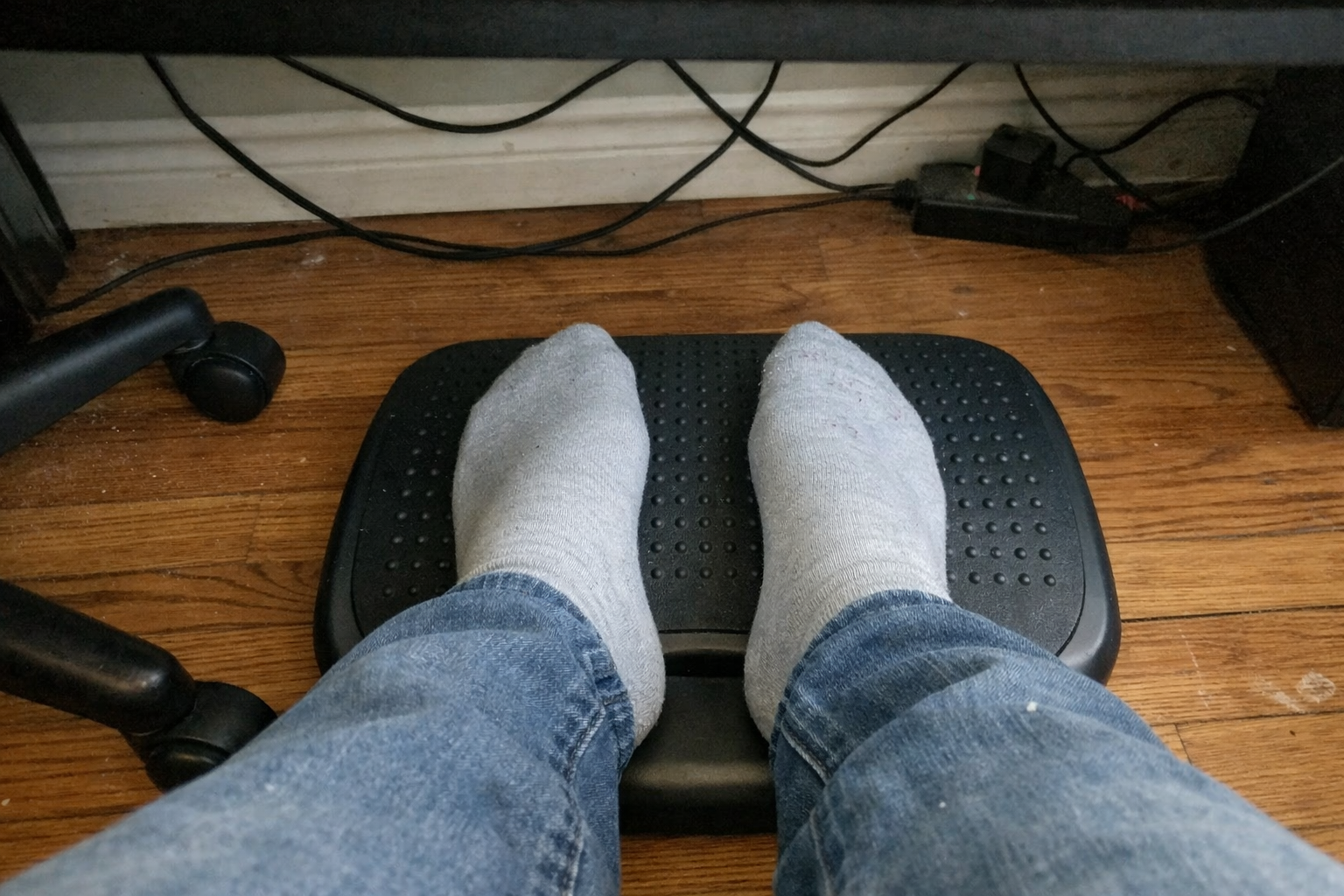
The most underrated part of an ergonomic desk setup, for me, has been a simple under-desk foot rest. Once my seat height changed, I needed better support under my feet so I wasn’t dangling slightly or pushing into the floor unevenly. That sounds small, but if your feet aren’t planted well, the rest of your posture starts compensating. A footrest gave me a more stable base, reduced leg pressure, and made seated work feel less static. It also encouraged subtle movement because I’d change foot position more often throughout the day.
What I Appreciate
- ✅ Helps create a stable lower-body position at the desk
- ✅ Useful if your chair or seat cushion changes your leg angle
- ✅ Soft enough to be comfortable without feeling flimsy
- ✅ Simple setup with real ergonomic payoff
What Frustrates Me
- ❌ Foam products can need time to fully expand after unpacking
- ❌ May slide a bit depending on floor type
- ❌ Not exciting, which means people tend to ignore it even though it matters
Mattitude Cushioned Anti-Fatigue Floor Mat
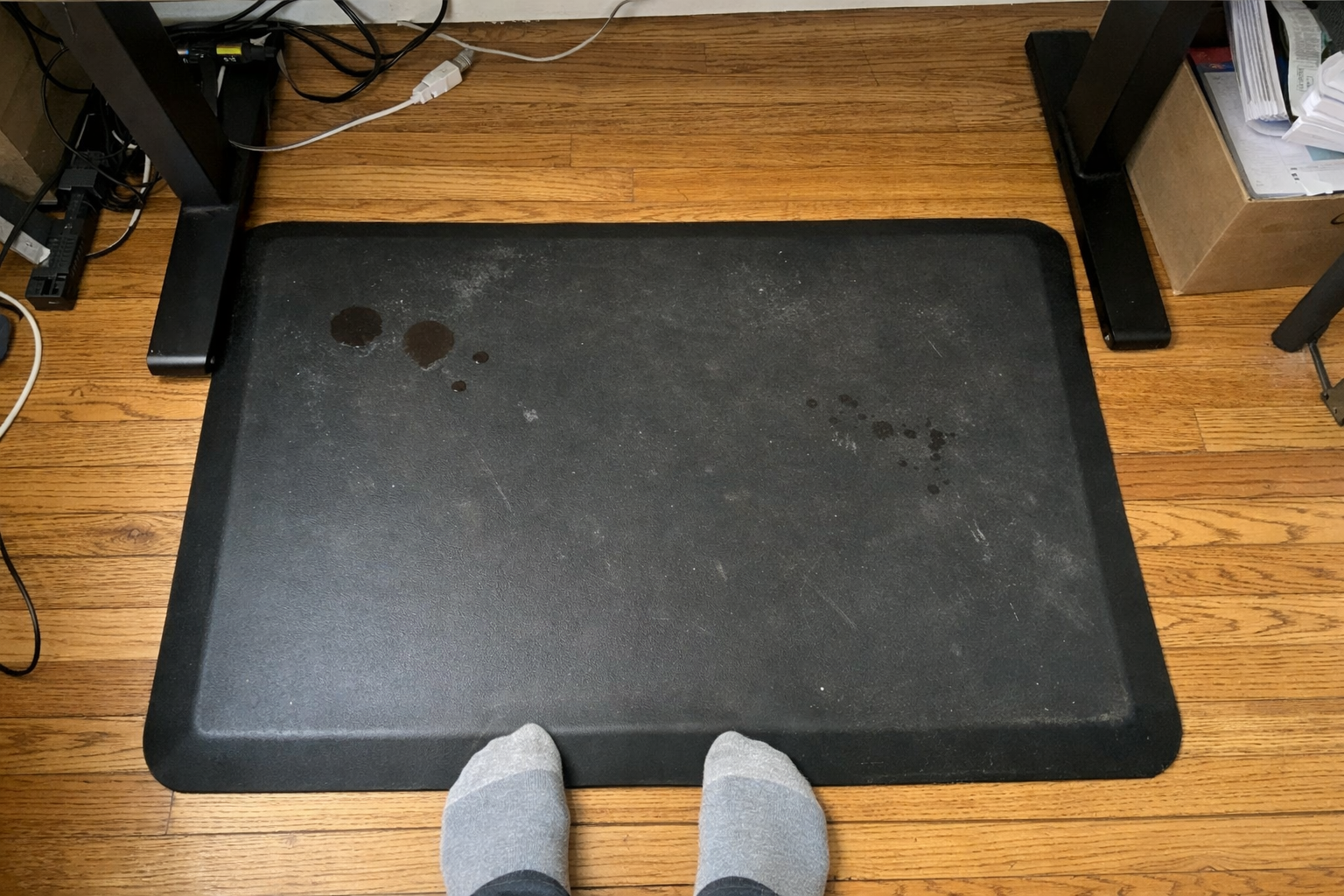
I’m a big believer that the best posture is the one you don’t stay in for too long. To make standing work sustainable, I added the Mattitude anti-fatigue mat under my desk. Without it, standing blocks always felt more performative than useful. My feet and calves would get annoyed, and I’d sit back down before the posture benefit really kicked in. The cushioned mat made standing feel realistic enough to use during calls, lighter admin work, and those parts of the day when I just need to break the seated rhythm.
What I Appreciate
- ✅ Makes standing sessions noticeably easier on feet and lower legs
- ✅ Wipes clean easily, which is ideal in a real apartment, not a showroom
- ✅ Non-slip design feels more secure than cheap flat mats
- ✅ Good value if you’re trying to stand more consistently
What Frustrates Me
- ❌ Smaller size means you need to be deliberate with foot placement
- ❌ Creases from packaging may need time to flatten
- ❌ Helpful for standing, but not a substitute for moving around more often
How these tools work together
| Tool | Main job | Best for | My ROI take |
|---|---|---|---|
| Dual monitor stand | Raises screens and improves viewing angles | Neck and shoulder strain from low monitors | Highest impact if you use two displays all day |
| Seat cushion | Reduces pressure through the hips and tailbone | Long seated blocks and hard chair seats | Great mid-cost comfort upgrade |
| Lumbar pillow | Supports natural lower back curve | Slouching and lower back fatigue | Very strong value if your chair is decent but incomplete |
| Foot rest | Improves lower-body positioning | Feet not resting comfortably after chair adjustments | Cheap compared with how much it stabilizes posture |
| Anti-fatigue mat | Makes standing more sustainable | Sit-stand routines and call blocks | Worth it if you actually plan to alternate positions |
If I had to prioritize these for most remote workers, I’d start with monitor position first, then seat support, then lower-body support. People often obsess over chairs because they’re the most obvious purchase, but I’ve found the hidden wins are often in the accessories that fix the specific mismatch between your body and your desk.
What I still want to improve
This setup is better, but it’s not finished. The next thing I’m working on is building more intentional movement into the day, not just better support while stationary. I’m experimenting with tighter stand-sit intervals, short mobility breaks between analysis blocks, and a more consistent end-of-day reset so I’m not carrying desk posture straight into the evening. I’m also still evaluating whether a higher-end ergonomic chair would outperform this “upgrade the weak points” approach over the long term.
That said, I’m glad I didn’t rush into a massive one-shot purchase. Testing ergonomic tools one by one helped me figure out what my body actually needed, which is a lot more useful than copying someone else’s premium desk setup on social media.
💡 The Final Verdict: Better posture comes from a system, not a single chair
If you work long remote hours and finish the day feeling compressed, stiff, or weirdly drained, building a recovery-focused home office is absolutely worth the effort. I think this approach makes the most sense for people who already have a usable desk and chair but need smarter ergonomic support around them. You do not need a showroom-perfect setup. You need tools that reduce pressure, improve alignment, and make position changes easier to stick with. That’s where the real payoff is.
Disclaimer: As an Amazon Associate, I earn from qualifying purchases.
Author
-

Hi, I’m Mateo — a remote business analyst and workspace consultant based in New York City.
I started this blog out of a long-term interest in productivity, ergonomics, and the tools that make daily work more efficient. Over the years, I’ve spent a lot of time refining my own setup and comparing different products, from premium office furniture to mechanical keyboards and coffee equipment for the home office. What began as a personal habit turned into a more structured way of reviewing and analyzing workspace gear.
This blog focuses on premium productivity tools and ergonomic equipment, with an emphasis on performance, build quality, durability, and long-term value. I cover products like standing desks, ergonomic chairs, multi-monitor setups, keyboard components, and high-end coffee machines, always with attention to how they hold up in real working conditions.
My approach is straightforward and detail-oriented. I look at products the same way I look at systems: by evaluating trade-offs, comparing alternatives, and asking whether the higher price is actually justified. That means I often compare premium products against strong mid-range options, break down the pros and cons clearly, and focus on return on investment rather than hype.
Outside of work, I’m interested in custom mechanical keyboards, espresso, and indoor cycling — all things that, in different ways, involve precision, consistency, and incremental improvement.
If you’re building a workspace that is comfortable, functional, and designed to last, this blog is for you.
Leave a Reply